Table of Contents
- Start With a Dedicated Space That Works for a Full Workweek
- Choose the Right Location for Your Home Office
- Plan for Sound Privacy Before the Walls Close
- Build Reliable Internet Into the Office
- Give Your Equipment the Electrical Capacity It Needs
- Use Natural Light Without Fighting Screen Glare
- Plan the Room Around How You Actually Work
- Set Up an Ergonomic Workspace for Long Days
- Think Beyond Your Current Remote-Work Setup
- Explore New Era Homes Floor Plans With Office Space
- Home Office Decisions to Make Before Drywall
- Build a Home Office Around the Way You Work
- Frequently Asked Questions
Summarize
A good home office for remote work starts with the room itself, not the desk, chair, or monitor.
If you work from home full time, your office has to handle a full week of calls, focused work, deadlines, and evolving technology. A desk squeezed into a corner of the great room might be fine now and then, but it can get frustrating fast when the kitchen is busy, the TV is on, or you need privacy for a video meeting.
Building a new home gives you something an existing house usually can’t: the chance to design the office around how you actually work. Room placement, sound control, electrical capacity, hardwired internet, windows, lighting, and storage can all be planned before the walls are closed.
For remote workers building with a custom home builder in Central Oregon, whether that’s in Bend, Redmond, or Sisters, those early choices can be the difference between a spot to set a computer down and a workspace that serves you well every day.
Start With a Dedicated Space That Works for a Full Workweek
Before you think about furniture or décor, think about what your workday actually demands.
Someone who answers email from home a couple of days a week may be perfectly happy with a small flex space or pocket office. Someone who works remotely eight hours a day needs something different. Consider how often you:
- Join video or phone calls
- Need uninterrupted focus
- Work across multiple monitors
- Print or file documents
- Meet with clients virtually
- Use equipment beyond a laptop
- Share the house with another remote worker
- Need a clear line between work and home at the end of the day
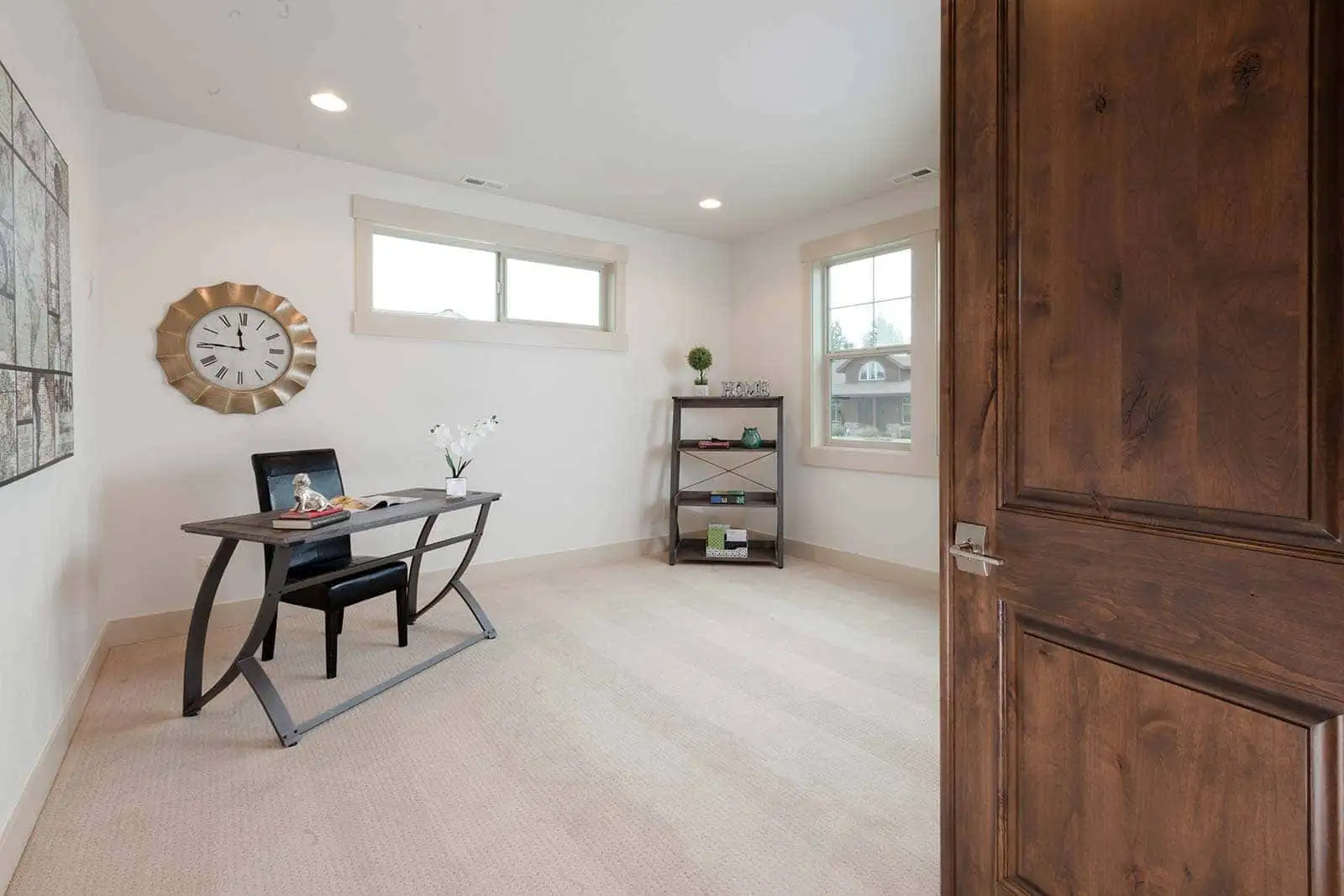
A dedicated room with a door gives you more control over noise, privacy, storage, and distractions. It also keeps work equipment, cords, paperwork, and calls from spilling into the main living areas.
The right office doesn’t have to be oversized. It does have to be intentional.
Choose the Right Location for Your Home Office
Where the office sits in the floor plan matters as much as its size.
Keep the Office Away From High-Traffic Living Areas
An office right next to the kitchen or great room can look convenient on paper. On a typical workday, though, it puts conversations, appliances, television, pets, and household traffic just one wall away.
Walk through how the house will function while you’re working.
Where will family members come in from the garage? Where will people gather after school or work? Is the laundry room close by? Will guests pass the office on their way to the main living space?
The more distance you can put between focused work and the busiest parts of the house, the easier it is to create a quiet, professional workspace.
Plan for Call Privacy
If video meetings are part of your daily routine, an open flex area may not offer enough separation.
A door that closes lets you control background activity and gives everyone else in the house more freedom to go about their day while you work. That’s especially valuable when your calls involve clients, finances, personnel issues, or other information you’d rather not share with the whole household.
If two people work remotely, think about how the two workspaces relate to each other. Two desks on opposite sides of a shared wall feel very different from two offices in separate parts of the home.
Consider What Is Outside the Window
A nice view can make long workdays more enjoyable, but the view is only one part of the decision.
A window facing a busy street, a frequently used driveway, or an active backyard can be distracting. A window that throws direct sunlight across the desk can cause problems of its own. If you’re building on rural acreage, such as land outside Prineville, you may have more freedom to orient the office toward a calm, open view.
Treat the window, the desk, and the room’s orientation as one planning decision instead of three separate ones.
Plan for Sound Privacy Before the Walls Close
Many common home-office sound fixes get added after move-in: rugs, curtains, headphones, bookcases, and acoustic panels. When you’re building, you can deal with sound much earlier.
Consider Insulation in Interior Office Walls
Discuss interior wall insulation during planning when the office needs extra separation from nearby rooms. New Era Homes’ Uncommon Standards already emphasize insulation and air sealing for comfort and energy savings, so adding insulation to interior office walls is a natural extension of that conversation.
For someone who spends much of the day on calls, the goal runs both ways. You want less household noise coming into the office, and you probably want less of your work conversation carrying into the rooms next door.
This matters most when the office shares a wall with the kitchen, great room, a bedroom, or another workspace.
Choose the Door With Privacy in Mind
The door is another detail to settle before construction wraps up.
A solid-core door can create a more substantial barrier between the office and the rest of the house than a lightweight interior door. For a room you use every workday, that can be a practical upgrade to consider during planning.
Room placement still matters most. No single material can make up for an office located in the middle of constant household activity. The strongest approach looks at room location, walls, and door together.
Build Reliable Internet Into the Office
Wi-Fi is convenient, but a permanent home office is also an opportunity to plan for a wired connection.
Run Hardwired Ethernet Before Drywall
If your work relies on video calls, cloud applications, large uploads, or other bandwidth-heavy tasks, ask about running Ethernet to the office during construction.
Decide where your desk is likely to go and place the connection where it will actually be useful. Running cable while the walls are open is usually far simpler than retrofitting a finished room later.
If you use a standing desk, more than one workstation, or expect to rearrange furniture, it may make sense to plan for more than one connection point.
Think Beyond the Office
Remote work rarely stays inside one room. You might take calls from another area, work on the patio for part of the day, or use connected devices throughout the house.
Plan the overall network around those habits. Your office can have a hardwired connection while the rest of the home still enjoys well-planned wireless coverage.
Give Your Equipment the Electrical Capacity It Needs
A modern home-office setup often includes much more than a laptop charger.
Monitors, a desktop computer, a docking station, speakers, a printer, task lighting, chargers, networking gear, and other devices all need convenient power.
Discuss a Dedicated Circuit
If your setup uses a lot of equipment, ask your builder and electrical professionals whether a dedicated circuit makes sense for the office.
The right electrical plan depends on the equipment you use and the overall design of the home. What matters is raising the question early instead of assuming the standard outlet layout will automatically fit your needs.
Plan Outlet Placement Around the Desk
The number of outlets matters, but so does where they go.
Before the electrical work is finalized, picture your real desk setup. Where will the monitors sit? Is the printer on a cabinet behind you? Will a standing desk need power? Where will phones, headphones, tablets, and other devices charge? Thoughtful placement can reduce long cords and extension cables and keep the workspace tidy.
It’s also smart to leave some flexibility. Your technology will likely change long before your home does.
Use Natural Light Without Fighting Screen Glare
Bend’s bright high-desert setting makes natural light an appealing feature in a home office, but more sunlight isn’t always better when you spend the day looking at a screen.
Consider Window Orientation Early
Before finalizing the office, think about where direct light will come from during your normal working hours.
A beautiful wall of windows can become a headache if strong sun hits your monitor every afternoon. Likewise, facing intense light all day can make a screen hard to see.
Decide window orientation and desk placement together.
Position the Desk Around the Light
Whenever the floor plan allows, look for a desk position that gives you daylight without putting the strongest light directly behind your monitor or straight in your line of sight
Window coverings can help with glare, but they work best when the room layout already makes sense.
If remote work is a big part of your day, solve as much of the glare problem as you can through room orientation and desk placement before relying on blinds or shades.
Add Useful Artificial Lighting
Natural light shifts throughout the day and across the seasons.
Plan general lighting that evenly illuminates the room, then add task lighting where you need it most. If you spend hours on video calls, think about how light falls on your face as well as your desk.
You don’t need an elaborate studio setup. You need consistent light that lets you work comfortably without constantly adjusting the room.
Plan the Room Around How You Actually Work
A home office should fit your work, not an idealized photo of someone else’s workspace.
Start With Your Desk and Monitors
Know roughly what has to fit in the room before permanent decisions are made.
A laptop user may need relatively little desk space. Someone working across three monitors, reviewing paper documents, drafting plans, editing video, or using specialized equipment may need a lot more.
Let those needs guide desk dimensions, outlet locations, Ethernet placement, windows, lighting, and storage.
Think About Video Calls
Imagine sitting at your future desk and looking behind you.
Will the camera face a doorway where family members walk by? A bright window? An open kitchen? A cluttered storage area?
A well-placed desk can give you a clean, professional background for calls without rearranging the office every morning.
It can also help you avoid a situation where the most functional desk position conflicts with the best lighting or privacy.
Build in the Right Amount of Storage
Storage needs vary widely from one profession to another.
Some remote workers are almost entirely digital. Others need files, reference books, samples, equipment, a printer, shipping supplies, or secure document storage.
Plan for what you actually use. Enough storage keeps the office functional. Too much can crowd the room for no reason.
Set Up an Ergonomic Workspace for Long Days
Furniture is easier to change than walls and wiring, but it still matters when you sit at the same workstation for most of the week.
Choose a Desk and Chair for Daily Use
A full-time office calls for furniture chosen for working, not just for fitting the room.
Look for a desk with enough surface for your usual equipment and a chair you can adjust to support your working posture. If you switch between sitting and standing, account for the footprint and power needs of an adjustable desk before you move in.
Position Your Equipment Carefully
Arrange your monitor, keyboard, mouse, camera, and other frequently used equipment so you can work without constantly reaching or twisting.
If you’re considering permanent cabinetry or a built-in desk, mock up the dimensions first. A few inches can make a real difference once monitors, a chair, drawers, and other equipment are in place.
Leave Space to Move
Don’t size the whole office around a desk’s dimensions.
You need room to roll your chair back, open storage, stand, stretch, and move around comfortably. If someone occasionally joins you for a meeting or shares the space, plan for that too.
Think Beyond Your Current Remote-Work Setup
Technology changes. Jobs change. Households change.
A well-designed office can adapt.
Plan for Future Technology
Extra outlets, flexible data connections, and multiple furniture-placement options give you room to add a monitor, upgrade networking equipment, switch desks, or accommodate devices you don’t use yet.
Avoid building every permanent decision around the exact laptop and monitor you have on your desk today.
Give the Room a Useful Second Purpose
A dedicated office doesn’t have to become wasted space if your work situation changes.
Depending on its location and size, the room could later serve as a study, library, hobby room, guest room, or another flexible space.
Still, the priority should be making it work well for its main purpose now. If you spend 40 hours a week working from home, designing the room mainly as a guest bedroom that happens to hold a desk means compromising every day for visitors who only show up occasionally.
Explore New Era Homes Floor Plans With Office Space
One advantage of building from a proven floor plan is that you can start with a layout that already includes a dedicated work area.
Several New Era Homes floor plans include a study, giving remote workers a much better starting point than trying to carve an office out of a great room or bedroom later.
When comparing plans, look past whether a room is simply labeled “study.” Consider:
- Where the room sits in relation to the kitchen and great room
- How much household traffic passes by
- Which walls it shares with other rooms
- Which direction the windows face
- Whether it has enough space for your equipment and storage
- How easily it can support wired internet and electrical needs
A dedicated study may be the right fit for someone who works from home full time, while a smaller pocket office may suit occasional remote work, household paperwork, or shorter work sessions.
New Era Homes builds from proven floor plans that may allow reasonable room changes, depending on the design and the project. If remote work is a big part of your life, bring those needs into the floor plan conversation early.
Explore New Era Homes floor plans and compare how each layout supports privacy, focus, technology, and everyday comfort.
Home Office Decisions to Make Before Drywall
When you’re planning a home office for remote work in a new home, some choices are much easier to make during construction than after move-in. Because New Era Homes manages the custom home building process from start to finish, these details can be addressed while the home is still being planned.
Before the walls close, review:
- Office placement relative to the kitchen and main living areas
- Interior wall insulation for extra sound separation
- Door type and call privacy
- Hardwired Ethernet locations
- Electrical needs and whether a dedicated circuit makes sense
- Outlet locations around your planned workstation
- Window orientation and potential screen glare
- General and task lighting
- Storage needs
- Video-call background and camera position
- Room for extra monitors or future equipment
- Flexibility if the room’s purpose changes later
Chairs, desks, monitors, and accessories are all fairly easy to replace. Moving a wall, adding wiring, or changing a window after the house is finished is a different project entirely.
Make the hard-to-change decisions first.
Build a Home Office Around the Way You Work
A productive home office doesn’t need to be elaborate. It needs to solve the practical problems that come up during a real workday.
You need enough quiet to concentrate. Privacy when the door is closed. Dependable connectivity. Power where your equipment actually sits. Light without constant glare. A layout that keeps everyday household activity out of every call.
Those details are much easier to get right when remote work is part of the home plan from day one.
If you’re planning to build in Bend or elsewhere in Central Oregon, browse our floor plans above or contact our team to talk about how a proven plan can be adapted around the way you work and live.
Frequently Asked Questions
How do I set up a home office for remote work?
Begin with a dedicated spot that gives you enough privacy and room for your normal workday. Then plan for internet, outlets, lighting, storage, sound separation, and ergonomic furniture. If you’re building, handle permanent features like Ethernet, interior wall insulation, electrical capacity, windows, and room placement before drywall whenever you can.
Where should a home office be located in a floor plan?
For full-time remote work, choose a spot away from the busiest parts of the house. Kitchens, great rooms, garage entries, and other high-traffic areas tend to bring distractions and background noise. A room with a door and some distance from daily household activity is usually the better starting point for frequent calls and focused work.
Should a home office have Ethernet?
A hardwired Ethernet connection can be very useful in a permanent home office, especially if your work leans heavily on video calls, cloud applications, uploads, or other connected tools. When building, plan Ethernet locations before the walls close so the connection lands near your planned workstation.
Does a home office need a dedicated electrical circuit?
Not every office needs one. It depends on the equipment you’ll use and the home’s electrical design. If your workspace includes several monitors, computers, printers, networking gear, or other electronics, talk through your expected setup with your builder and electrical professional before the electrical work is finalized.
How can I make a home office quieter?
Start with location. Keeping the office away from kitchens, great rooms, laundry areas, and other busy spaces cuts down on everyday distractions. During construction, you can also discuss interior wall insulation and the right door. Rugs, window treatments, furniture, and acoustic products can help further after move-in.
Is a separate office worth it for remote work?
For someone who works from home full time, a dedicated room offers valuable separation from household activity, more privacy for calls, and a permanent home for equipment and storage. For occasional remote work, a smaller flex area or pocket office may be enough. The right choice depends on how many hours you work from home and how much privacy your job demands.
Can a New Era Homes floor plan be modified for a home office?
New Era Homes builds from proven floor plans and may allow reasonable room changes depending on the plan and project. If a dedicated office matters to you, bring up room placement, privacy, connectivity, electrical needs, and storage early in planning so they can be addressed before construction starts. Our frequently asked questions about building a New Era home cover plan modifications and the planning process in more detail.